Complete Guide to Building a WhatsApp Chatbot in 2026
Do you want to automate up to 80% of the common customer questions your business receives? Would you prefer only qualified leads to reach your sales team? Or are you looking for a way to free up your customer support agents so they can focus on more important tasks?
If you answered “yes” to any of these questions, a WhatsApp Chatbot could be the perfect solution for your business.
A WhatsApp Chatbot can operate 24/7, instantly responding to common customer queries and reducing the need for manual support. This helps your team save time while ensuring customers receive quick and consistent responses.
In this blog, we’ll show you how you can create your own WhatsApp Chatbot in just 10 minutes, even if you have no coding experience.
Ready to get started? Let’s dive in!
Quick Overview
1. Understanding What a WhatsApp Chatbot Is
2. WhatsApp Business App vs. WhatsApp Business API
3. Why WhatsApp Chatbots Are Important in 2026
4. How to Build a WhatsApp Chatbot with Yugme Boom in Just 10 Minutes
5. Creating a WhatsApp Chatbot Without Any Coding
6. Advanced Use Cases with the Yugme Boom Chatbot Flow Builder
7. AI Tools That Can Enhance Your WhatsApp Chatbot
8. How to Choose the Right WhatsApp Chatbot Platform
9. Real Success Stories from Yugme Boom Customers
10. Common Questions About WhatsApp Chatbots
A WhatsApp Chatbot is an automated tool that communicates with users directly on WhatsApp. It can answer customer questions, suggest products, qualify potential leads, and even assist with completing transactions.
Using predefined triggers and responses, the chatbot can instantly reply to customer messages and provide support without requiring manual intervention from your team.
You can think of it as a virtual customer support assistant that works around the clock. It can:
- Operate 24/7 without breaks or downtime
- Manage multiple conversations at the same time
- Improve responses over time with the help of AI technology
- Follow your business rules and communication guidelines
- Transfer complex queries to human support agents when needed
In simple terms, a WhatsApp Chatbot acts as a digital assistant for your business, helping you respond to customer queries instantly, gather useful customer information, qualify leads, and support sales activities.
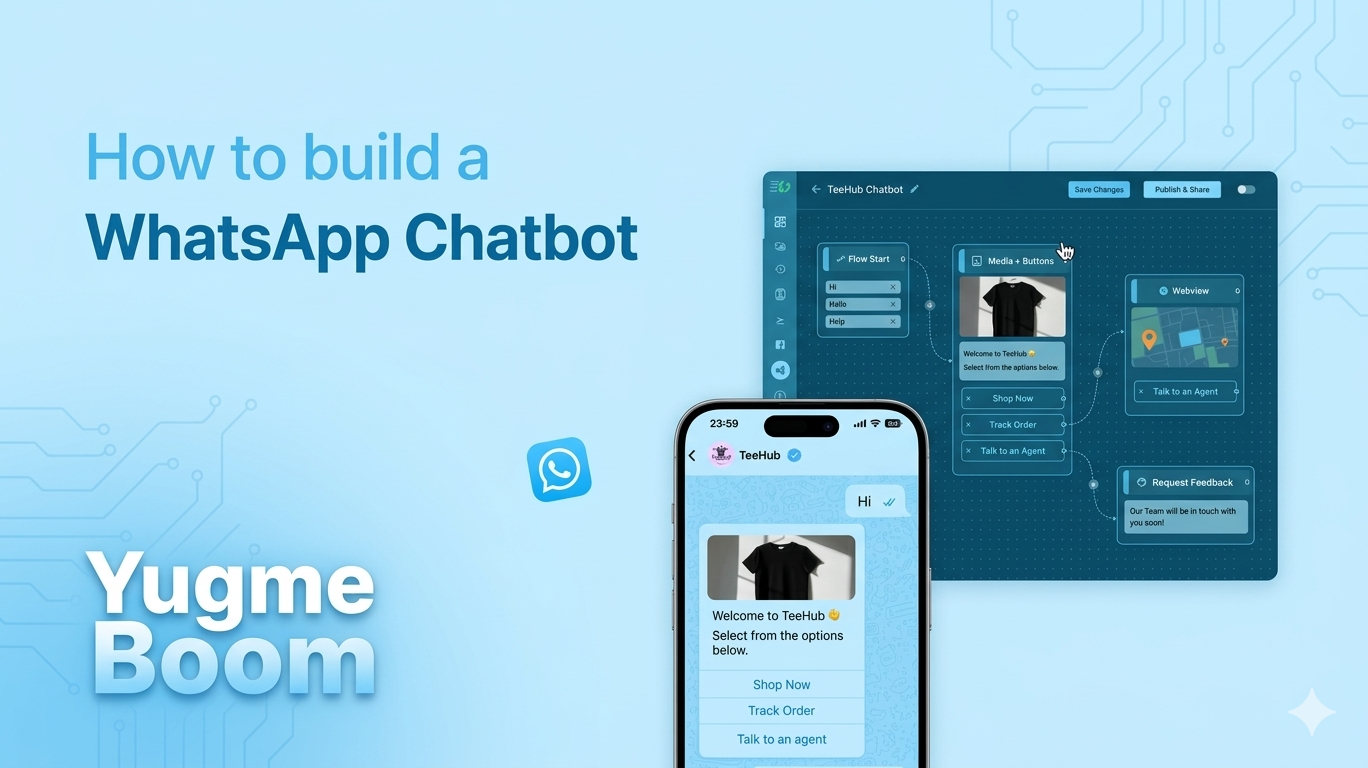
Below is an example of how a WhatsApp Chatbot works in practice.
To build a WhatsApp Chatbot like the example shown earlier, businesses usually need more advanced capabilities than what the free WhatsApp Business App provides.
The WhatsApp Business API, introduced by WhatsApp in 2018, is the official solution that allows businesses to create chatbots, automate conversations, and manage customer communication at scale.
WhatsApp Business AppThis is the application you can download directly on your smartphone. It works well for small businesses where one or two people manage customer messages. You can create broadcast lists, add business details, and set basic auto-replies.
However, most interactions still require manual responses, meaning someone must handle each conversation individually.
WhatsApp Business APIThe API is designed for growing companies and enterprises that handle a large number of customer conversations. It can connect with websites, CRMs, e-commerce platforms, and customer support tools.
This is where automation and chatbots become possible, allowing businesses to manage communication efficiently and at scale.
In this guide, we will mainly focus on the WhatsApp Business API and chatbots, as they enable businesses to automate processes and significantly improve customer engagement.
| Feature | WhatsApp Business API (Using Yugme Boom) | WhatsApp Business App |
|---|---|---|
Cost | $0–$500+ per month | Free |
Setup Time | 30–60 minutes | Around 5 minutes |
Technical Setup | Usually required | Not required |
Broadcast Limit | Unlimited contacts | Up to 256 contacts |
Automation | Advanced AI automation | Mostly manual messaging |
Chatbot Support | Available (AI-powered) | Not available |
CRM Integration | Full integration possible | Limited integration |
Multi-language Support | Automatic detection and translation | Manual management |
Scalability | Suitable for growing and large businesses | Best for individuals or small teams |
Payment Processing | Supported (WhatsApp Payments) | Not available |
24/7 Automation | Fully supported | Not supported |
By 2026, chatbots are no longer just an extra feature for businesses—they have become an essential tool for managing customer communication and engagement. Companies that want to respond quickly and provide better customer experiences are increasingly relying on chatbot technology. Here are some key insights that highlight their importance:
- Around 80% of customer support questions can be handled automatically by a well-trained chatbot. This means support teams can focus on more complex issues instead of answering the same common questions repeatedly.
- Businesses that use WhatsApp chatbots respond about 40% faster compared to those that reply manually. Instead of waiting hours for a response, customers can get answers within minutes.
- Conversational messaging often leads to three times higher engagement than traditional email marketing, making it a more effective way to interact with customers.
- Research shows that 85% of customers prefer instant messaging for support rather than calling or sending emails, because it is quicker and more convenient.
- WhatsApp chatbots can provide 24/7 customer service without additional staffing costs. Whether it’s 3 AM or 3 PM, customers can still receive immediate assistance.
- Many businesses that introduce WhatsApp automation report 2–3 times return on investment (ROI) within the first three to six months.
For example, one retail company automated 60% of its customer inquiries and experienced a 35% increase in repeat purchases. Faster responses led to better customer satisfaction and stronger loyalty.
However, without a well-planned chatbot strategy, businesses may miss valuable customer interactions and potential revenue opportunities.
As mentioned earlier, creating a WhatsApp chatbot doesn’t have to be complicated. With the help of platforms like Yugme Boom, you can build a chatbot without writing any code.
Yugme Boom is a powerful WhatsApp engagement platform built on the WhatsApp Business API. It allows businesses to create chatbots easily using a simple drag-and-drop Flow Builder. Instead of coding, you just add different elements to the builder and arrange them to design how your chatbot should interact with users.
1. Sign Up and Access the Flow BuilderThe first step is to log in to your Yugme Boom account and activate the Flow Builder, which is available as a premium feature.
Tip: New users can take advantage of a 14-day free trial to explore all the features of the Flow Builder.Once the Flow Builder is activated, you’ll get access to an easy-to-use drag-and-drop interface where you can start designing your chatbot.
Next, go to the Flow Builder dashboard and click on “Create Flow.”
Give your chatbot flow a clear and meaningful name based on its purpose. For example:
- Lead Qualification Bot
- Customer Support Assistant
- Product Showcase Bot
This step helps you organize how your chatbot will communicate with users.
To make your chatbot respond automatically, you need to define trigger keywords. These are the words or phrases users might send to start the conversation.
Some common examples include:
- “Hi”
- “Shop”
- “Help”
- “Offers”
When a user sends any of these keywords, the chatbot will automatically start the flow you created. You can add these keywords to the “Flow Start” element inside the builder.
Designing your chatbot in AiSensy is very simple. Just drag different elements from the content panel and connect them to create the conversation flow.
You can include different types of interaction elements such as:
- Text messages for basic replies
- Quick reply buttons for faster responses
- Images or videos to make conversations more engaging
- Single or multiple product messages for showcasing items
- Location requests to collect user location
- Questions and response capture to store user details
- API requests to connect with CRM systems or other tools
Each user action can trigger a different response, allowing you to build interactive and personalized conversations.
For more advanced workflows, you can also use features like:
- If/Else conditions
- User attribute validation
- Time-based responses
These options help you create smarter and more customized chatbot interactions.
After completing your chatbot flow, review the entire structure to make sure all elements and connections are working properly.
Then click “Save Changes.”
To activate the chatbot:
- Go back to the Flow Builder dashboard
- Turn the toggle switch to “Enable”
Once enabled, your WhatsApp chatbot will be live and ready to automatically interact with users.
Before using the chatbot with customers, it’s a good idea to test it. Simply send one of the trigger keywords you set earlier, and the chatbot will start the conversation flow.
This example is just a basic setup. In reality, you can build much more advanced chatbots with hundreds of connected elements in a single flow.
Yugme Boom also provides an AI Chatbot Flow Generator, which makes chatbot creation even faster.
With this feature, you simply describe your use case in natural language—such as “create a chatbot for product inquiries” or “build a lead generation flow.” The AI will automatically generate the basic chatbot structure for you.
This feature is especially useful for founders, marketers, and busy teams who want to build chatbot flows quickly without starting from scratch.
In addition to the drag-and-drop chatbot builder, you can also create a WhatsApp chatbot using Google Dialogflow and connect it with AiSensy.
However, building a chatbot through this method requires a bit more time and effort. You may need to spend around 3–4 hours understanding how the chatbot development process works before setting everything up.
To begin, you can follow the guide “How to Get Started with Google Dialogflow Chatbot.” After going through the steps in the guide, you can create your first free WhatsApp chatbot and integrate it with AiSensy.
With Yugme Boom's Chatbot Flow Builder, chatbots can do much more than simply respond to keywords. The platform allows you to create different types of automated interactions and workflows to support marketing, sales, and customer engagement.
Here are some of the key use cases you can achieve using the Yugme Boom Chatbot Flow Builder:
1. Trigger Chatbots Through Template MessagesChatbots can also be triggered through template messages with Quick Reply buttons.
When a user clicks one of these quick reply options, the chatbot automatically starts the relevant conversation flow.
2. Integrate with Click-to-WhatsApp AdsYou can connect Click-to-WhatsApp Ads directly with your chatbot.
When someone clicks the advertisement and sends the pre-filled message, the chatbot automatically begins the conversation to qualify the lead or guide the user toward conversion.
3. Build a Complete WhatsApp FunnelYour chatbot can function as the central part of your WhatsApp marketing funnel.
- It attracts potential customers through Click-to-WhatsApp Ads connected to chatbot flows.
- It qualifies leads instantly by asking dynamic questions and assigning attributes or tags.
- It retargets and converts users through WhatsApp Broadcasts and WhatsApp Drip Campaigns.
By integrating your WhatsApp Catalog, the chatbot can automatically display products to users.
It can send single-product or multi-product messages based on the user’s interests or actions.
5. Lead QualificationThe chatbot can automatically qualify leads without human involvement. It can collect important information such as:
- Name
- Preferences
- Age and Gender
This information is stored as attributes and linked to the user’s profile in Yugme Boom.
6. Build Dynamic Chatbots with CRM IntegrationYou can connect your chatbot to a CRM system using webhooks.
This allows you to send and receive data in real time, helping keep your marketing and sales information updated.
7. Fetch Attributes and TagsThe chatbot can automatically capture user responses and organize them by applying attributes and tags.
This helps categorize and manage leads more effectively.
8. Ask for Location and AddressUsing the “Ask Location” block, the chatbot can request a user’s delivery location or physical address.
This information can then be stored and used in your CRM system.
9. Collect Payments Within WhatsAppYou can enable WhatsApp Payments inside chatbot flows.
Once the setup is complete, the chatbot can guide users through the payment process and allow them to complete purchases directly within WhatsApp.
10. Automate FAQsChatbots can also handle frequently asked questions automatically.
You can create FAQ flows to respond to queries related to pre-sales, refunds, shipping policies, and more—providing support 24/7.
11. Automate Feedback CollectionYou can request customer feedback 6–7 days after product delivery using WhatsApp Campaigns combined with chatbot flows.
After collecting feedback, you can also send:
- Discount codes
- Special offers
This helps encourage repeat purchases and maintain an active feedback loop.
Yugme Boom provides AI-powered tools that help improve the performance and capabilities of your WhatsApp chatbot.
The Flow Builder is a premium feature that enables you to create advanced chatbot experiences for various purposes, including customer support, lead generation, sales, and marketing automation.
By now, you understand how to create a WhatsApp chatbot and the different ways it can be used to support your business.
The next important step is deciding which platform is the right fit for your needs.
When comparing different WhatsApp chatbot platforms, here are some key factors you should consider:
1. Ease of Use:Choose a platform that is simple to operate and does not require developers. Platforms with drag-and-drop and no-code builders make chatbot creation much easier.
2. Integrations:Check whether the platform can connect with the tools you already use, such as your CRM, eCommerce platform, or booking system.
3. AI Capability:Evaluate how well the AI works. A good chatbot should understand what customers are actually trying to say, rather than only responding to specific keywords.
4. Pricing:Make sure the platform’s pricing matches your business needs and is suitable for the volume of messages or users you expect.
5. Analytics:The platform should provide analytics so you can track performance and measure the return on investment (ROI).
Customer Support:
Reliable support is important. When you face issues or need guidance, there should be a support team available to help.
For a more detailed comparison of platforms, including pricing and features, you can refer to the Best WhatsApp Chatbot Platform guide.
Instead of just describing the benefits, let’s look at how real companies—from startups to large organizations—are using Yugme Boom’s WhatsApp chatbots to improve their business operations and customer experience.
The Challenge:COSCO was facing low conversion rates from customers who were making product inquiries.
The Solution:They implemented a WhatsApp AI chatbot to provide product recommendations and assist customers during the sales process.
Results:- 3× increase in conversions
- Faster response times for customers
- Reduced workload for the sales team
"Yugme Boom has really helped us reach our consumers more effectively. Earlier, we could reach only around 30–35% of users through broadcasting. Now, that number has increased to about 90%."
— Aakash Jain, Business Executive at Cosco
The donation process was complicated, which often led to payment failures.
The Solution:A WhatsApp chatbot was introduced to guide users step by step through the donation process and handle payment processing.
Results:- Payment success rate increased to 90% (from 70%)
- Achieved 15× ROI from WhatsApp campaigns
- Experienced 25–60% growth in revenue
Bus ticket bookings were handled manually through phone calls, which was slow and inefficient.
The Solution:A WhatsApp chatbot was introduced to allow passengers to book bus tickets instantly and check their booking status.
Results:- A smoother and easier booking experience
- Reduced workload for the customer support team
- 24/7 availability, eliminating long call center wait times
Delhi Transport Corporation successfully brought its ticket booking system to WhatsApp, making the process faster and accessible to millions of users
10. Common Questions About WhatsApp Chatbots
This section explains common questions about WhatsApp chatbots, including what they are, how they work, whether they are free, and how businesses can use them to automate replies, connect with ads, and track conversions.
Here’s a quick summary of what was covered in this blog:
A WhatsApp Chatbot is an intelligent automation tool that works like a human support agent, answering customer questions and managing sales without requiring constant human involvement.
You can create a WhatsApp chatbot using AiSensy’s Chatbot Flow Builder, which allows you to design chatbot flows through a simple drag-and-drop interface.
Chatbots can be used for many purposes, including lead qualification, automating customer queries, managing sales, sharing product or course details, and providing after-sales support.
With a WhatsApp chatbot, businesses can automate communication and increase sales by broadcasting messages to unlimited users, offering live chat across multiple devices, and enabling WhatsApp automation through integrations.
That covers everything you need to know about WhatsApp chatbots. We hope this guide has helped answer your questions.