Create a WhatsApp QR Code in Minutes
If you want to direct users to your WhatsApp using a QR code, you’re in the right place.
Whether you run a retail or eCommerce store, a chain of guest houses, restaurants, hotels, hospitals, car service centers, or more, a WhatsApp QR code is a powerful way to acquire users for free!
A WhatsApp QR Code is one of the most effective tools to attract new customers and boost user engagement.
It works by creating a click-to-WhatsApp chat link that takes users directly to WhatsApp, where you can instantly collect their name and number using a WhatsApp engagement platform like Yugme Boom.
In this guide, we’ll show you how to create a free WhatsApp QR Code in just 3 simple steps using the Yugme Boom QR Code Generator.
Quick Overview
1. Understanding WhatsApp QR Codes
2. Step-by-Step Guide to Create a WhatsApp QR Code in 3 Steps
3. Places You Can Use Your WhatsApp QR Code
4. Key Benefits of Using a WhatsApp QR Code
5. How to Maximize WhatsApp QR Codes for Your Business
6. Common question about the Whatsapp QR code
A WhatsApp QR Code lets customers start a conversation with your business quickly and easily. When users scan the code with their smartphone, they’re instantly directed to a WhatsApp chat with a pre-filled message—no need to type your number or greeting manually.
This makes connecting with your business effortless and boosts customer engagement. You can place WhatsApp QR Codes on product packaging, storefronts, menus, or social media, turning everyday touchpoints into instant chats.
2. Step-by-Step Guide to Create a WhatsApp QR Code in 3 StepsYou can easily generate and download a unique WhatsApp QR Code using Yugme Boom. Along with the QR Code, you’ll also get a unique WhatsApp Link that can be shared across social media to engage users and drive conversations.
Click on the button below to head on to Yugme Boom free WhatsApp QR Code Generator and follow the steps below:

Select your country and input the phone number where you want to receive messages.
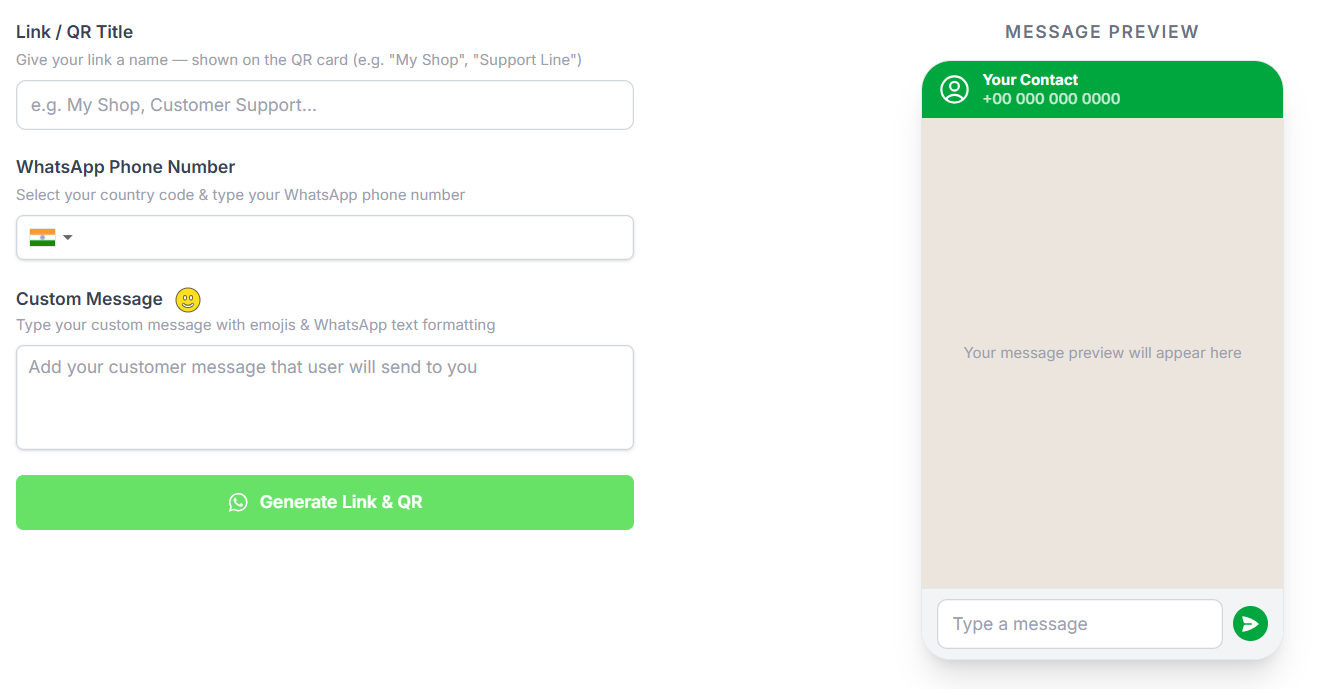
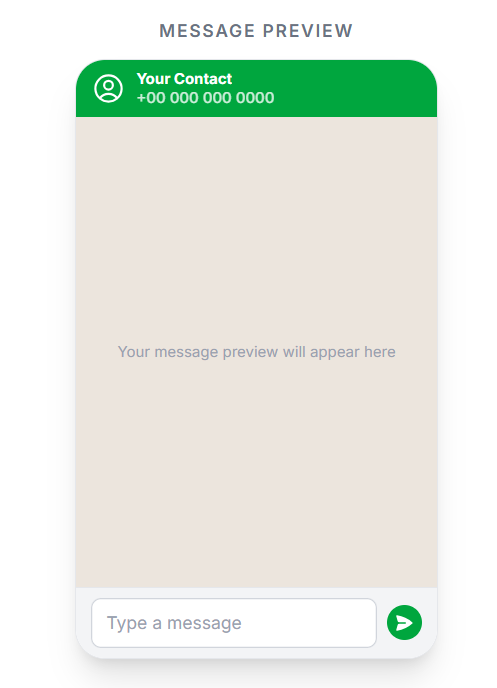
In the ‘Custom Message’ section, type a message that users will see when they reach your WhatsApp after scanning the QR Code. Think about what a user might usually type to start a conversation. You can preview the message to see how it will appear to your customers.
Click the ‘Generate Link’ button to create your WhatsApp QR Code and a shareable URL link.
Download the QR Code and add it to your product packaging or marketing materials to attract more users. You can also share your WhatsApp Link on platforms like Facebook, Instagram, LinkedIn, Twitter, Pinterest, and more.
Tip: If you want a QR Code with an image embedded inside, you can use a free QR Code generator for that feature.
Add the WhatsApp QR Code to your product packaging to let users connect instantly. You can also invite them to VIP groups or offer exclusive deals.
Example: “Scan to Chat with Us” or “Get 10% Off via WhatsApp.”
2. Inside Retail StoresDisplay the QR Code at counters or around the store. Customers can scan to ask questions or place orders directly on WhatsApp.
3. In Hotels & Guest HomesPlace QR Codes in guest rooms, menus, or check-in areas. Guests can request services, order food, ask questions, or share feedback. Pair it with a WhatsApp chatbot for automated 24/7 support.
4. On Marketing MaterialsInclude QR Codes on flyers, billboards, event booths, or banners. When scanned, users can chat on WhatsApp to claim offers or get product recommendations—great for offline marketing.
5. At Hospitals & ClinicsPlace QR Codes in waiting areas, OPD counters, or entrances. Patients can book appointments, get chatbot support, or make payments, improving communication and reducing queues.
6. In Restaurants & CafesPut QR Codes on tables, menus, or takeaway packaging. Customers can view menus, place orders, or give feedback instantly for faster and contactless service.
7. For Service ProvidersService businesses like real estate agents, salons, event planners, or fitness coaches can add QR Codes to business cards, brochures, or vehicles to start WhatsApp chats instantly.
Read: How to create & share WhatsApp Link easily.
Direct Connection with Users
Make it easy for customers to reach you instantly on WhatsApp.
- Collect User Details Automatically
- Real-Time 1:1 Engagement
- Encourage Ongoing Engagement
Adding a WhatsApp QR Code encourages users to engage with your business on WhatsApp. But how do you manage and make the most of this engagement? You can do this through:
WhatsApp App for Small BusinessesDesigned for small businesses, the WhatsApp Business App allows you to:
- Send broadcast messages to up to 256 contacts at once.
- Upload images of your products and services.
- Chat 1:1 with customers in real-time.
For medium to large businesses aiming to engage hundreds of thousands of users, the WhatsApp Business API is ideal.
Launched by Facebook in 2018, the API allows businesses to:
Broadcast and receive unlimited messages globally.
Deliver better customer experiences at scale.
The API is perfect for startups and medium-to-large businesses that handle high volumes of daily messages.
Since WhatsApp doesn’t provide a direct platform for API access, you’ll need an official WhatsApp Business Service Provider (BSP) like Yugme Boom.
With Yugme Boom, a WhatsApp Business API platform, you can:
- Broadcast messages to unlimited users.
- Automate notifications via ready-to-use integrations.
- Provide live chat support to users within a 24-hour window.
- Use WhatsApp Business across multiple users and devices.
- Set up WhatsApp Chatbots to handle common customer queries automatically.
Common questions about WhatsApp QR Code
These FAQs explain everything about WhatsApp QR Codes—what they are, how to set them up with WhatsApp Web, share or print them, and reset them if needed. They help businesses easily connect with users on WhatsApp.