20 Effective WhatsApp Message Templates for Retail
WhatsApp has evolved beyond simple messaging into a powerful marketing channel for offline and retail businesses. Whether you manage a clothing store, salon, or grocery shop, it helps you connect with customers, promote offers, and build lasting loyalty.
In this blog, we’ve compiled 20 effective WhatsApp template messages for retail businesses, complete with practical use cases, engaging emojis, and clear calls to action. You’ll also learn how to automate these messages using Yugme Boom WhatsApp Business API for better efficiency and results.
Overview
Benefits of WhatsApp for Retail and Offline Businesses
Top 20 WhatsApp Template Messages for Retail Businesses
Key Tips for Creating Effective WhatsApp Template Messages
How to Send WhatsApp Template Messages Efficiently
Conclusion
Frequently Asked Questions
Connect with customers where they are most active and simplify your communication with these key advantages:
- Reach customers directly on a platform they use daily
- Send personalized promotional messages that drive engagement
- Increase in-store visits with limited-time offers
- Provide instant order updates and customer support
- Automate communication using WhatsApp Business templates
WhatsApp offers a fast, reliable, and effective way to engage customers and grow your retail business.
Engage your customers at every stage of their journey with these ready-to-use WhatsApp templates—designed to boost footfall, increase sales, and build lasting relationships.
1. New Customer Welcome MessageCreate a positive first impression and encourage store visits.
Template:"Hi {{customer_name}}, welcome to {{store_name}}! We’re happy to have you with us. Drop by soon to explore exclusive deals made just for you."
CTA: [Visit Store] [Share Location]
2. Festive Sale AnnouncementPromote seasonal offers and increase footfall.
Template:"Hey {{name}}, our Festive Sale is now LIVE! Enjoy up to 50% OFF on selected items till {{end_date}}. Shop before it ends!"
CTA: [Shop Now] [View Catalogue]
3. Loyalty Reward OfferAppreciate repeat customers with exclusive discounts.
Template:"Hello {{name}}, thanks for being a valued customer! Enjoy an exclusive 20% OFF with code LOYAL20. Valid till {{date}}."
CTA: [Redeem Now]
4. Cart Recovery ReminderBring customers back to complete their purchase.
Template:"Hey {{name}}, you left a few items in your cart! Complete your purchase before they’re gone."
CTA: [Complete Purchase]
5. Latest Collection UpdateKeep customers informed about new arrivals.
Template:
"Our latest collection is here! Be the first to explore new styles at {{store_name}}."
CTA: [Browse Now]
6. Order Confirmation MessageProvide instant reassurance after purchase.
Template:"Hi {{name}}, your order #{{order_id}} has been successfully placed. We’ll notify you once it’s ready for pickup or delivery."
CTA: [Track Order]
7. Pickup Ready NotificationNotify customers when their order is ready.
Template:"Hi {{name}}, your order is ready for pickup at {{store_name}}. Visit us anytime between 10 AM – 8 PM."
CTA: [Get Directions]
8. Flash Sale AlertDrive urgency with limited-time offers.
Template:"Flash Sale Alert! Enjoy flat 30% OFF today from 4–6 PM. Visit {{store_name}} and grab the deal!"
CTA: [Claim Offer]
9. Event InvitationPromote in-store events and workshops.
Template:"You’re invited! Join our in-store Fashion Styling Workshop this Saturday at 5 PM. Limited seats available."
CTA: [RSVP Now]
10. Birthday Special OfferDelight customers with personalized birthday rewards.
Template:"Happy Birthday {{name}}! Celebrate with a special 25% OFF. Show this message at checkout."
CTA: [Celebrate Now]
11. Back-in-Stock AlertEncourage quick purchases with restock updates.
Template:"Good news {{name}}! Your favorite product is back in stock. Hurry—limited quantities available!"
CTA: [Buy Now]
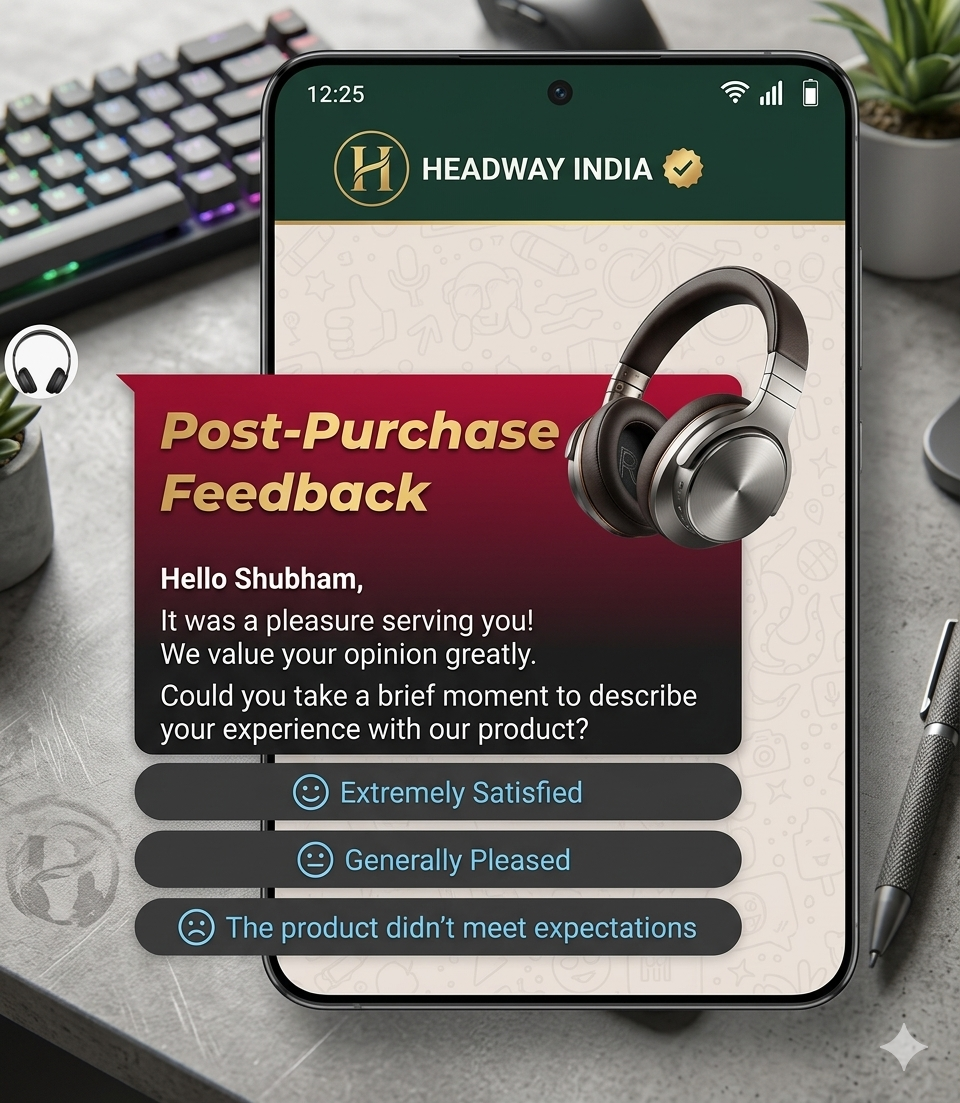
12. Feedback RequestCollect insights to improve your service.
Template:"Hi {{name}}, thanks for shopping with us! We’d love to hear about your experience"
CTA: [Share Feedback]
13. Referral Program InviteEncourage customers to bring in new shoppers.
Template:"Refer your friends and earn rewards! Get ₹500 OFF on your next purchase for every successful referral."
CTA: [Refer Now]
14. Appointment ReminderReduce missed appointments with timely notifications.
Template:"Reminder: Your appointment at {{store_name}} is scheduled for {{date_time}}. Please confirm or reschedule."
CTA: [Confirm Now]
15. VIP Event InvitationOffer exclusive access to premium customers.
Template:"Hi {{name}}, you’re invited to our exclusive VIP launch event! Be the first to explore our new collection.
{{date}} | {{location}}"
CTA: [Confirm] [Visit Website]
16. New Store Opening AnnouncementDrive traffic to your new outlet.
Template:"Exciting news! We’re opening a new store at {{location}}. Join us for the grand opening this Sunday!"
CTA: [Get Directions]
17. Limited-Time Discount CodeBoost conversions with urgency.
Template:"Don’t miss out! Use code SAVE10 to get 10% OFF on your next visit. Valid till {{expiry_date}}."
CTA: [Use Code]
18. WhatsApp Exclusive OfferReward your WhatsApp audience with special deals.
Template:"Hi {{name}}, enjoy a special deal just for our WhatsApp customers! Get ₹500 OFF on purchases above ₹2000."
CTA: [Unlock Deal]
19. Out-of-Stock UpdateKeep customers informed and engaged.
Template:"Hi {{name}}, the product you requested is currently unavailable. We’ll notify you as soon as it’s back in stock."
CTA: [Browse Alternatives]
20. Thank You MessageStrengthen relationships after purchase.
Template:"Thank you for shopping with {{store_name}} We truly appreciate your support and look forward to serving you again!"
CTA: [Leave a Review]
Every WhatsApp template goes through an approval process to ensure it meets platform guidelines. Keep these essential points in mind while drafting your messages:
- Use formatting like bold, italics, and ~strikethrough~ along with emojis to enhance readability and engagement
- Ensure proper formatting and structure to avoid rejection during approval
- Include clear Call-to-Action (CTA) or Quick Reply buttons (within the 20-character limit)
- Add emojis thoughtfully to make messages more personal and appealing
To send WhatsApp Template Messages at scale, you need a reliable WhatsApp Business API partner like Yugme Boom.
yugme Boom simplifies communication and marketing with powerful features:
- Broadcast messages to a large, opt-in audience instantly
- Automate transactional notifications with end-to-end security
- Enable real-time 1:1 customer conversations
- Build chatbots easily with a no-code drag-and-drop interface
- Run targeted retargeting campaigns on WhatsApp
- Launch Click-to-WhatsApp ads for seamless lead generation
With Yugme Boom, you can automate, personalize, and scale your WhatsApp communication effortlessly—helping you drive better engagement and results.
These WhatsApp Template Messages for retail businesses are a powerful way to strengthen customer relationships, stay top-of-mind, and increase conversions. Whether you're managing daily store operations or running promotional campaigns, these templates help you communicate effectively at scale while keeping interactions personal.
Start using WhatsApp Template Messages today to turn more leads into loyal customers and grow your retail business with ease.
Frequently Asked Questions About WhatsApp Template Messages
Learn about WhatsApp Template Messages, their approval process, and how businesses use them to send updates, promotions, and alerts effectively.