14 Essential WhatsApp Template Messages for Banking & Insurance
Looking to send WhatsApp Template Messages for Banking & Insurance? You’re in the right place!
Whether it’s a transactional alert, loan approval message, new account notification, or credit card payment reminder, we’ve compiled WhatsApp Template Messages that you can copy, paste, and send easily using the AiSensy Platform.
In this guide, we’ll cover 14 best WhatsApp Template Messages for Banking, Insurance, and Financial Institutions that help you streamline marketing, support, and customer engagement.
Insurance WhatsApp Template Messages 1. Welcome MessageGreet new users with a warm welcome and let them know you’ll share updates and offers via WhatsApp. Include an opt-out option.
Template:
Hey [Name],
We’re happy to have you onboard.
We’ll share updates about the latest insurance offers.
Reply STOP anytime to opt out.
Regards, [Insurance Company Name]
2. Appointment ReminderRemind users about upcoming appointments and give them the option to reschedule.
Template:
Hey [Name],
This is [Insurance Agent Name] from [Company Name].
Looking forward to our call at [Time].
Let me know if your schedule changes.
3. Follow-Up NotificationAfter a meeting with a customer, follow up to schedule the next discussion or finalize the policy.
Template:
[Name], thank you for speaking with me earlier.
I hope all your questions were answered.
When can we connect to discuss your policy further?
Regards, [Name, Company Name]
[Name], how are you?
I haven’t heard from you since our last call.
When will you be available to discuss policy details?
CTA: Call Now
4. Policy Approval NotificationNotify users when their insurance policy application has been approved.
Template:
[Name], congratulations!
Your application for [Policy Name] has been approved.
Sign in to view the details or call us for assistance.
CTA: Sign-in | Call Now
5. Policy Promotion NotificationPromote insurance policies and boost sales using WhatsApp messages.
Template:
Buy [Policy Name] from [Company Name] at [Price]! T&C Apply.
Grab this opportunity now!
Call our agents for any queries.
CTA: Buy Now | Call Now
Remind users to complete their loan or insurance applications if they haven’t finished the process.
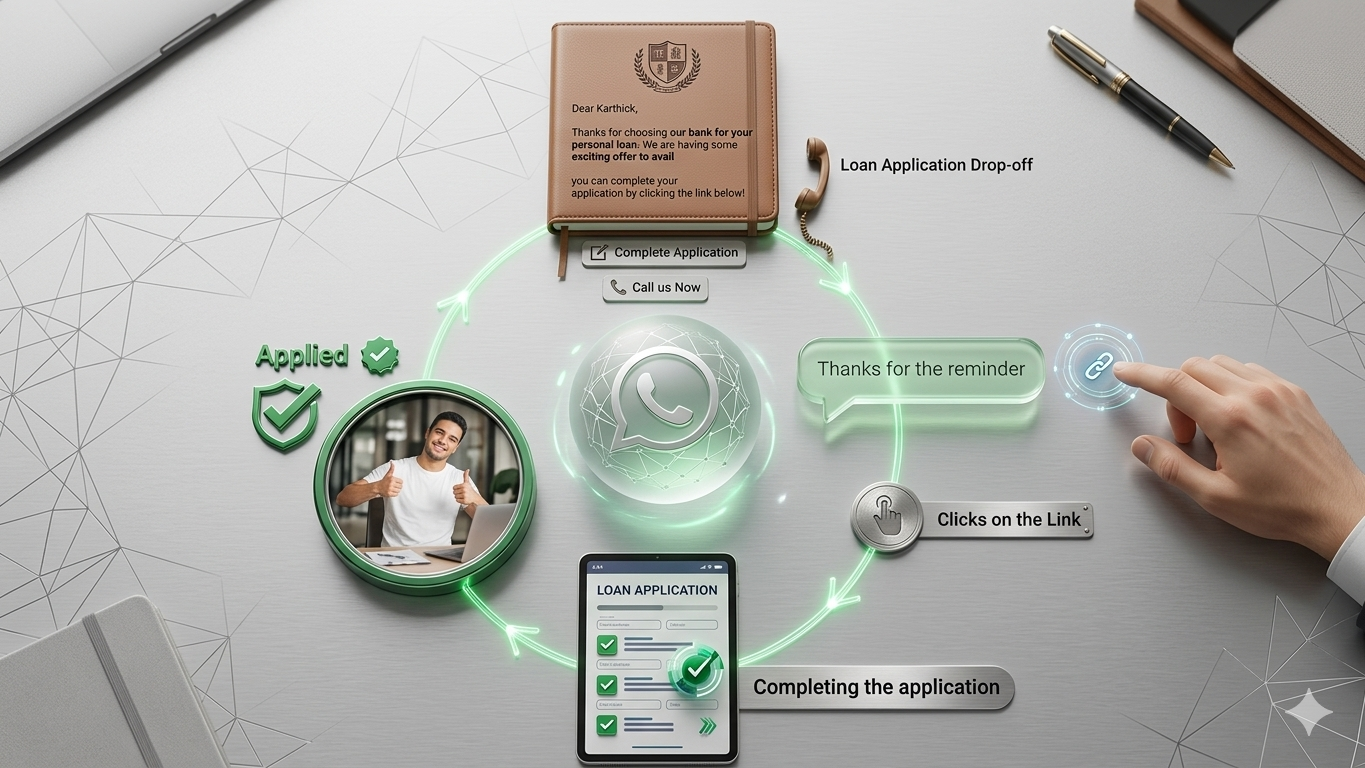
Loan Application Dropoff Reminder
Encourage users who began but didn’t complete their loan application to return and finish the process with a gentle reminder.
Sample Messages:
Dear [Name],
Thank you for choosing [Company Name] as your insurance preference on our website.
Complete your registration by clicking the button below!
CTA: Complete Application
Dear [Name],
Thanks for choosing [Bank Name] for your personal loan.
We have several exciting offers waiting for you. Complete your application to avail them.
CTA: Complete Application | Call Now
7. Loan Approval NotificationNotify customers promptly when their loan application has been approved.
Sample Message:
Hi [First Name], your loan with [Bank] has been approved.
Please find your loan documents attached.
For any queries, feel free to call us.
Kind regards,
[Bank]
New Account Creation Notification
Welcome new users and inform them about the notifications they will receive.
Sample Message:
Thank you for opening a new account with [Your Bank Name].
We’ll keep you updated on transactions, month-end statements, and promotions via this chat.
Manage your banking on your mobile device.
To opt-out, reply STOP.
Regards,
[Bank Name]
8. Loan Promotion NotificationSend personalized promotional offers to encourage loan or credit card sign-ups.
Sample Message:
Hey [Customer Name],
We appreciate having you as a customer. You’ve been pre-approved for a [Amount] loan/new credit card/bank services.
Act before [DD/MM/YYYY] to take advantage of this offer.
CTA: Call Now
9. Banking Transactional UpdatesAmount Debited Notification
Automatically inform users when a debit occurs.
Sample Message:
Your account ending with [xxxx] has been debited by [Amount].
Updated balance: [Balance].
If this wasn’t you, please contact us immediately.
CTA: Call Now
10. OTP NotificationSend secure OTPs for transaction verification.
Sample Message:
[OTP] is your OTP for the transaction of [Amount] on the card ending [xxxx]. Valid for 5 minutes. Please do not share this OTP.
[Bank Name]
11. Month-End Bank StatementSend monthly account statements securely via WhatsApp.
Sample Message:
Hi [Name],
Your statement for [Month] is ready. Please find the attached PDF for details.
Regards,
[Bank Name]
Note: Select 'Media' template type for attachment.
12. Fraud Alert NotificationAlert users to unusual account activity and provide immediate action options.
Sample Message:
We’ve detected unusual activity on your account.
If this was you, no action is needed.
If not, please call us immediately or log in to your account for details.
CTA: Call Us | Log In
Security Reminder:
[Bank Name] will never ask for your online banking details via text or call. Beware of fraudulent messages.
13. Bank Server Maintenance NotificationInform customers ahead of planned maintenance to manage expectations.
Sample Message:
We’re upgrading the [Bank Name] Mobile Banking App.
Service will be unavailable from [Time] to [Time] on [Day].
For queries, please call us.
CTA: Call Now
Guidelines for Drafting WhatsApp Template MessagesWhatsApp reviews each template carefully to ensure compliance with its guidelines. Keep these in mind:
- Use bold, italics, and ~strikethrough~ formatting, plus emojis, to enhance engagement.
- Correct formatting is essential; improper formatting leads to rejection.
- Include clear Call to Action or Quick Reply buttons limited to 20 characters.
- Emojis help personalize and humanize your messages.
To send template messages, you need a WhatsApp Business API partner like Yugme Boom.
Yugme Boom is a platform that allows you to create and broadcast WhatsApp template messages to unlimited users with a single click.
You can only message users who have opted in to receive WhatsApp notifications from your business.
With Yugme Boom, you can:
- Send promotional WhatsApp templates to increase sales
- Automate transactional notifications securely with end-to-end encryption
- Provide 1:1 live chat support
- Run retargeting campaigns targeting segmented audiences