How to Generate a FREE WhatsApp Link
Want to attract 3 times more users to your WhatsApp for free? But how do you get people to visit your WhatsApp and start a real-time 1:1 conversation?
It’s simple—use a WhatsApp Link!
A WhatsApp Link is a direct link to your WhatsApp. When someone clicks it, they’re taken straight to your WhatsApp where you can chat with them one-on-one using Yugme Boom, answer their questions, and turn them into customers.
We have just the right FREE tool for you to create your WhatsApp Link—the WhatsApp Link Generator.
Go ahead and click the link above to make your Free WhatsApp Link, or keep reading to learn how to create and share your WhatsApp link across social media platforms.
Quick Overview
1. How to Create a WhatsApp Link
2. How to Share Your WhatsApp Link
3. Advantages of Using a WhatsApp Link
4. Common question about Free Whatsapp link
You can easily generate a unique WhatsApp Link for your business at no cost using the Yugme Boom WhatsApp Link Generator tool.
Just click the link above and follow these simple steps to create your WhatsApp link:
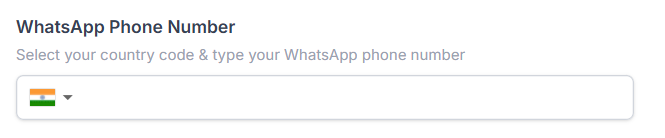
Choose your country and enter the phone number where you want to receive messages.
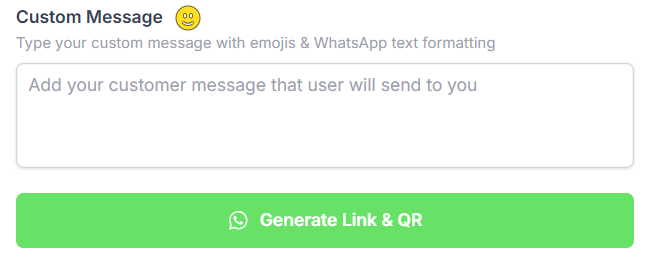
Enter a message in the 'Custom Message' section. This message will appear pre-filled when users click your link and open WhatsApp.
When writing this, consider what a typical customer might say when reaching out to you. You can preview the message alongside to see exactly how it will appear to your customers.
hare your Free WhatsApp Link with your audience across social media channels like Facebook, Instagram, LinkedIn, Twitter, Pinterest, and others. You can also download the WhatsApp QR code and include it on your product packaging to boost engagement.
While most brands prioritize adding their website link to social media bios, your WhatsApp Link can create a direct way for potential customers to reach you. Unlike websites, WhatsApp Links aren’t searchable on search engines, making them a private and instant communication channel.
You can also use tools like Linktree or Astra’s link-in-bio templates to add multiple links, including your WhatsApp Link, to your social media profiles.
Add Your WhatsApp Link to Instagram Storiesinstagram Stories are one of the most viewed features on Instagram. Adding your WhatsApp Link here allows users to contact you instantly.
Steps:
- Tap the ‘+’ icon on Instagram and create a new Story.
- Add the Click-to-Chat WhatsApp Link to your Story.
- To save it permanently, add the Story to Highlights on your profile.
Facebook is still a vital marketing platform in 2026. Share your WhatsApp Link in your posts, captions, or images to allow users to chat with you instantly. This helps increase engagement and lead generation directly from Facebook.
Post Your WhatsApp Link on TwitterTwitter is growing as a marketing hub, thanks to its powerful search and trending features. Include your WhatsApp Link in tweets to let users connect with your business immediately.
Pin Your WhatsApp Link on PinterestPinterest users often explore and discover products. Adding your WhatsApp Link to your pins can help interested users reach out to you quickly, increasing potential leads.
Place Your WhatsApp Link in YouTube Video DescriptionsA creative way to drive traffic is by placing your WhatsApp Link in YouTube video descriptions. Many viewers check video descriptions for links, making this a smart place to allow them to contact you instantly.
- Allow customers to reach you directly on WhatsApp.
- Engage with users instantly through real-time, one-on-one conversations.
- Increase your conversions and sales by 45–80% using WhatsApp.
- Receive immediate user opt-in when someone clicks your WhatsApp link and sends a message (opt-in is required to send messages on WhatsApp).
And that’s just the beginning!
You can also:
- Send broadcast messages to unlimited opted-in users at once.
- Automate order updates, delivery alerts, and abandoned cart reminders with ready-to-use integrations for your WhatsApp eCommerce store.
- Add a WhatsApp Chatbot to provide automated 24/7 customer support.
- Use WhatsApp Business on multiple devices with the same number.
All of this is possible with Yugme Boom the top WhatsApp marketing platform powered by the official WhatsApp Business API.
Ready to supercharge your sales and automate your WhatsApp communication? Sign up on Yugme Boom for free today.
Yugme Boom has a smart feature that works seamlessly with WhatsApp Links to help you segment your audience.
For example, if you want to track users clicking your WhatsApp Link from Instagram, Pinterest, LinkedIn, and other platforms, Yugme Boom First Message Tag feature makes it easy.
Simply create a separate WhatsApp Link for each social media platform with a custom message, and set up a First Message Tag using the platform name.
Make sure the message in the link matches the message in the First Message Tag.
When a user clicks the link, the tag will automatically assign based on the platform they came from.
Here’s how the tag will appear in a user’s profile in the Yugme Boom app.
Step-by-step guide to add a free WhatsApp button on your website
How to create a free WhatsApp QR code
3 easy methods to integrate WhatsApp into your website
Top 12 free tools for WhatsApp marketing
How to get started with the free WhatsApp Business API
Common questions about free Whatspp Link Generator
A WhatsApp Link is a unique URL that directs users straight to your WhatsApp with a preset message. It helps businesses engage customers instantly, drive conversations, and boost sales. You can create these links for free using Yugme Boom and share them across social media, websites, or any marketing platform.