10 Powerful WhatsApp Templates for Business Communication
Sending business notifications on WhatsApp is one of the most effective ways to engage your audience. With an average 98% open rate and 45–60% click-through rate, WhatsApp stands out as a high-impact communication channel for businesses.
If you’re using the WhatsApp Business API, you need approved template messages to initiate conversations with users. Each template is carefully reviewed by WhatsApp to ensure it complies with their official guidelines.
However, these formatting rules and requirements can feel overwhelming when you’re just getting started.
In this blog, we’ll cover 10 essential WhatsApp template messages that are useful across all types of businesses.
If you’re looking for industry-specific examples, you can also explore 30 WhatsApp Business message templates designed for key sectors such as eCommerce, education, finance, and webinars.
Before we dive in, let’s go over the key WhatsApp template guidelines you should keep in mind.
Sending timely payment notifications on WhatsApp helps customers stay informed and improves payment completion rates.
WhatsApp Template Message for Payment Due
Notify customers about upcoming payments and encourage quick action:
“Your payment of [Amount] is due on [Date]. To complete the payment, please click the button below.”
CTA – Pay Now
WhatsApp Template Message for Payment Reminder
Follow up with a reminder to increase payment completion—this can help you receive payments up to 3x faster:
Hi [Name],
Here’s your payment link for [Product/Service] worth [Amount].
Once the payment is completed, your order will be processed immediately. Welcome to [Brand Name]!
Thank you.
CTA – Pay Now
WhatsApp Template Message for Payment Confirmation
Send confirmation instantly after a successful transaction to build trust and transparency:
Dear [Name],
Thank you for choosing [Brand Name].
Your payment of [Paid Amount] has been successfully received.
Regards,
[Brand Name]
2. WhatsApp Templates for Greetings & Welcome MessagesAlongside emails and SMS, sending a warm greeting or welcome message via WhatsApp is essential. With over a 98% open rate, WhatsApp messages tend to receive higher engagement and traction.
General WhatsApp Templates for Welcoming New UsersDear [Name],
Welcome to (Your Brand Name)
We’ll use this chat to share updates, reminders, and special offers with you.
To stop receiving messages, simply reply with 'STOP'.
Quick Reply Button: STOP
Dear [Name],
Welcome to (Your Brand Name).
We’re excited to have you with us! Feel free to ask any questions you might have.
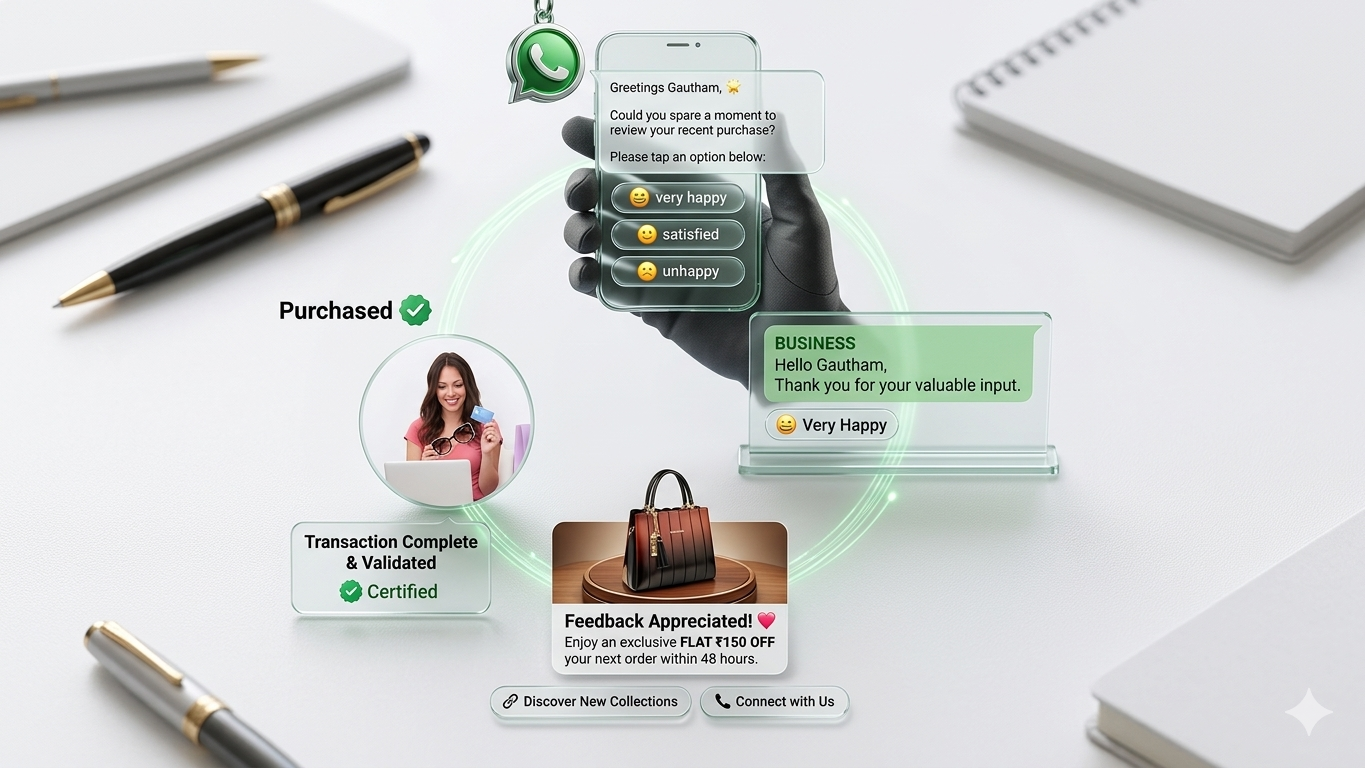
3. WhatsApp Templates for Customer FeedbackCollecting customer feedback is crucial for improving your products and services. Send a feedback request 1-2 weeks after the customer has experienced your product or service.
WhatsApp Template to Request User Feedback:
Hi [Name],
How was your experience with (Your Brand Name)?
We value your feedback and want to improve to serve you better in the future.
Please rate us using the options below:
Regards,
Team (Your Brand Name)
Quick Replies:
- Excellent
- Satisfactory
- Unsatisfactory
Don’t stop at just collecting feedback. Use automation to send a promotional offer through your WhatsApp chatbot immediately after the user responds. This combined feedback and promotion approach helps boost engagement and sales.
Send warm, personalized festive wishes to your customers on WhatsApp to strengthen your connection.
Examples of Personalized Festive Greeting Templates:
Dear [Name]
Wishing you a Happy and Wonderful [Festival]
Best regards,
Team (Your Brand Name)
Hi [Name],
May this festive season bring you abundant opportunities, good health, and prosperity.
Embrace new beginnings, stay positive, and believe in yourself
Warm wishes,
Team (Your Brand Name)
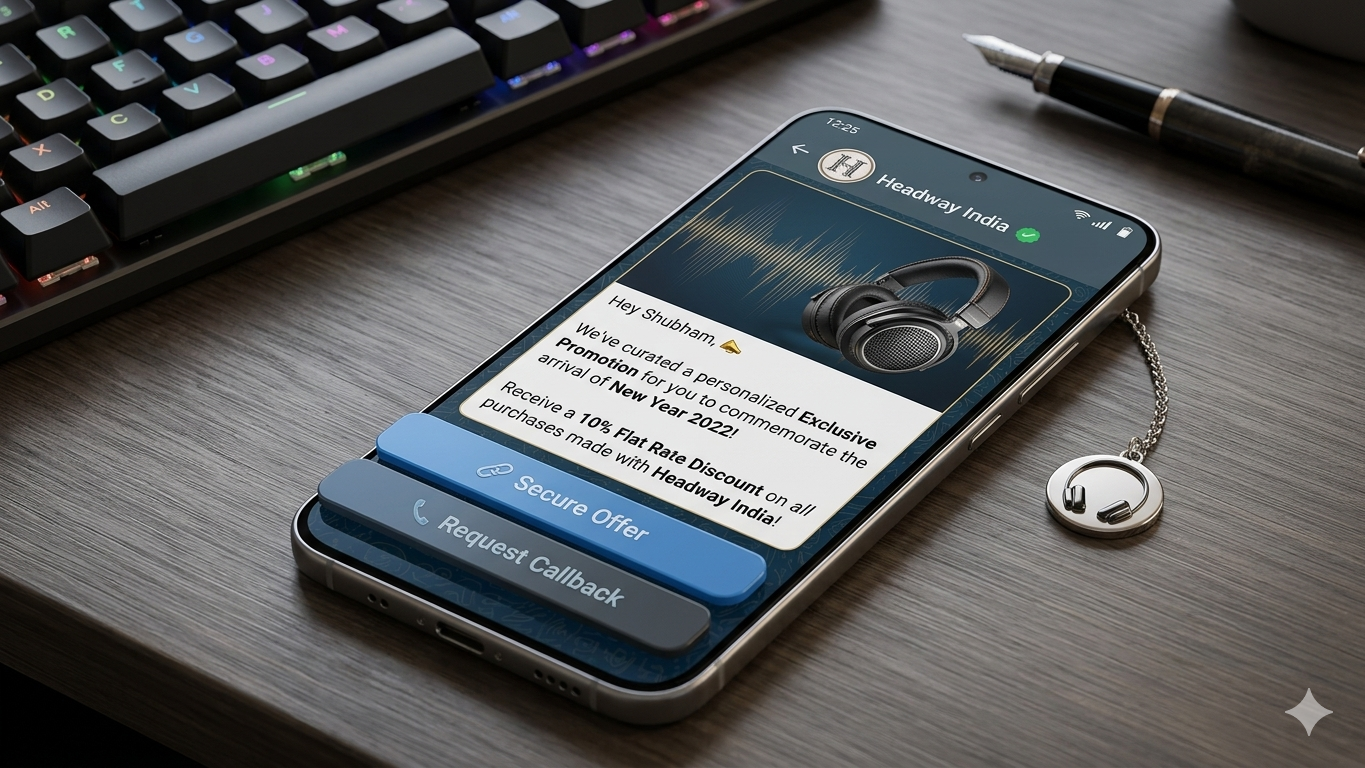
To maximize impact, combine festive greetings with promotional offers. This approach can significantly boost your conversions during the festive season.
Here’s a sample template that blends festive wishes with a product or service promotion:
[Insert sample Festive Wishes + Promotion message here]
With a message open rate exceeding 98%, WhatsApp is an ideal platform to maximize your newsletter’s reach. When a user subscribes, send a welcome message via WhatsApp to engage them instantly.
Sample Newsletter Signup Message:
Hi [Name],
Thank you for subscribing to our WhatsApp Newsletter.
Stay tuned for the latest updates, trends, and strategies in [Industry Name].
Best regards,
(Your Brand Name)
5. WhatsApp Template for Event InvitationsBoost your event or webinar registrations by sending personalized invitations on WhatsApp. Highlight the benefits attendees will gain.
Sample Event/Webinar Invitation:
Dear [Name],
You’re invited to a FREE webinar hosted by [Host Name].
Discover valuable tips and insights on [Topic].
Reserve your spot now!
Date: [Date]
Time: [Time]
Regards,
(Your Business Name)
6. WhatsApp Template for Referral ProgramsExpand your referral program by encouraging customers to invite friends and family. Offer rewards as incentives.
Sample Referral Invitation:
You’re signed up for updates from (Your Brand Name)!
Refer a friend and earn [Amount] off your next purchase for every friend who registers using your referral code: [Referral Code]
7. WhatsApp Template for Appointment & Check-In RemindersConfirm appointments or check-ins and allow customers to reschedule easily.
Sample Appointment Reminder:
Hey [Name],
Please reply YES to confirm your appointment with [Business Name] tomorrow at [Time], or reply NO to reschedule.
Quick Replies: Yes, No
8. WhatsApp Template for Customer Support MessagesUse WhatsApp to provide prompt, personalized customer support. Automate responses when users report issues.
Sample Support Message:
Hey [Name],
We noticed you encountered an issue with your order. We’re sorry for the inconvenience!
Our team is working on it and will update you as soon as it’s resolved.
Regards,
(Your Brand Name)
9. WhatsApp Template for Customer Engagement MessagesEngage customers with personalized updates and special occasion wishes to encourage repeat purchases.
Sample Birthday Message:
Hey [Name], wishing you a very Happy Birthday 🎉
Enjoy a special gift from us! Use code [Coupon Code] for [Discount]% off your next order.
Offer valid until midnight.
CTA: Buy Now
10. WhatsApp Template for Loyalty Program MessagesReward loyal customers with exclusive offers that make them feel valued.
Sample Loyalty Reward Message:
Hey [Name], congratulations on your 10th purchase!
As a thank you, enjoy 50% off your next order.
Use code [Coupon] at checkout.
Minimum cart value: [Amount].
Regards,
(Your Brand Name)
WhatsApp reviews each template message carefully to ensure it complies with their Message Template Guidelines. Keep these key points in mind when drafting your messages:
- Use bold, italics, and ~strikethrough~ formatting, along with emojis, to make your messages more engaging.
- Ensure your message formatting is accurate, as improper formatting may lead to rejection by WhatsApp.
- Include a clear Call to Action or Quick Reply button with a character limit of 20 characters.
- Emojis help personalize your messages and enhance user connection.
To send template messages on WhatsApp, you'll need a WhatsApp Business API partner like Yugme Boom.
Yugme Boom is a marketing platform built on WhatsApp Business API that lets you create and broadcast WhatsApp template messages to unlimited users with just a click.
Keep in mind, you can only send these messages to users who have opted in to receive notifications from your business.
With Yugme Boom, you can:
- Send promotional template messages to boost sales
- Automate transactional notifications securely with end-to-end encryption
- Respond to customer queries via 1:1 live chat
- Run retargeting campaigns targeting specific audience segments