WhatsApp Display Name: Step-by-Step Guide for API Approval
Your WhatsApp Display Name is the first thing customers see on your WhatsApp Business profile, helping them identify your brand. If the display name on your WhatsApp Business API account is not familiar to your customers, it may create confusion and could even lead them to block your business on WhatsApp.
According to WhatsApp, every display name must be connected to your business and should follow WhatsApp’s Commerce and Business policies. The display name also needs to follow the required formatting and naming guidelines in order to qualify for a WhatsApp Official Business Account.
For this reason, it is important to choose a WhatsApp Business Display Name that follows these guidelines and clearly reflects your brand identity.
In this guide, we will explain how to choose the most suitable WhatsApp display name for your WhatsApp Business account.
Quick Overview
1. How to select the right WhatsApp Business Display Name
2. WhatsApp Display Name ideas and important guidelines
3. How your display name shows up on WhatsApp
4. Frequently asked questions about WhatsApp Display Names
Creating a WhatsApp Business display name may seem simple at first, but there are several naming and formatting guidelines you need to follow. Even though it is just a name, WhatsApp has specific rules that must be followed for approval.
WhatsApp has provided clear formatting guidelines for display names. To get your display name approved, it is important to follow these rules carefully, unless your business already uses a specific branding format that differs from the standard guidelines.
Note: If you work with a WhatsApp partner like Yugme Boom, they can help you set up the correct WhatsApp display name for your business. You can apply for the WhatsApp Business API through Yugme Boom for free and get approved within minutes, along with complete onboarding and support.
2. WhatsApp Display Name ideas and important guidelines 1. Display Name Should Represent Your Business IdentityYour WhatsApp display name should clearly represent your business, its products, services, or a specific department. Even if the account is created for testing or demo purposes, the display name should still show a clear connection to your business.
For example: “Jennifer’s Cupcake Bakery.”
WhatsApp may reject a display name if it is a person’s full name, a generic word such as “Beer,” a general location like “India,” a slogan, or a long descriptive phrase. In addition, businesses connected to government organizations may need special approval from the WhatsApp team.
If you find it difficult to create a suitable name, you can use a Business Name Generator to help generate ideas for your display name.
2. Avoid Using All Capital LettersYour display name should not be written entirely in capital letters. It should follow proper capitalization and match the format used in your official business name.
For example:
Rejected: Raju'S PICKLE E-STORE
Accepted: raju's Pickle E-Store
However, if your business branding already uses all capital letters, it may still be accepted.
If you include permitted words such as Test or Demo, make sure the first letter is capitalized. For example, “Li’l Cupcakes Test” would be accepted, while cakes demo” would not.
3. Pay Attention to Spacing in the Display NameThe spacing in your display name should match the spacing used in your business name.
For example, if your business name is cake Store, writing it as Cupcake Store would not be approved.
You should also avoid adding extra characters, symbols, emoticons, or punctuation. Names such as raju's_Pickle_E-Store or cake Store™ will likely be rejected.
4. Do Not Add Extra WordsYou should not include additional words in your display name unless they indicate a country or region, department or function, or test/demo accounts.
For example:
Accepted: Cakes Mexico, Li’l Cupcakes Customer Support
Rejected: Cake Official Account
5. Display Name Must Contain at Least Three CharactersA display name should include at least three characters.
For example, if the business name is PT Sir, the display name PT Sir is acceptable. However, using only PT would not meet the requirement because it contains fewer than three characters.
6. Do Not Include URLs in the Display NameYour display name should not appear in a URL format.
For example:
FreshProduce.com would not be accepted as a display name.
7. Keep Your Branding Consistent Across PlatformsYour WhatsApp display name should match the branding used on other platforms, such as your company website.
For example, if your display name is “Green Garden Organic Juices,” the same name should also appear on your website.
Examples:
Accepted: Green Garden Organic Juices (same branding as shown on the website) Rejected: Green Garden Juices (branding changed by removing “Organic”) Rejected: GG Organic Juices (short forms or abbreviations are not allowed) 8. Show a Clear Connection with Your BusinessYour display name should clearly relate to your business. It should appear on your company website or be referenced in external sources or media.
For example, a charity name mentioned on the website of a nonprofit organization may be approved, while a charity name that does not appear anywhere else online may not be accepted.
If the relationship between the brand and the business is not clear, you can indicate it using “by [business name]”, such as “Accessories by Yogi Fashion.”
Additionally, your display name should not include the name of a management company or any third party. For example, “Sunlight Agency for Jolanda’s Beer Mugs” would not be accepted.
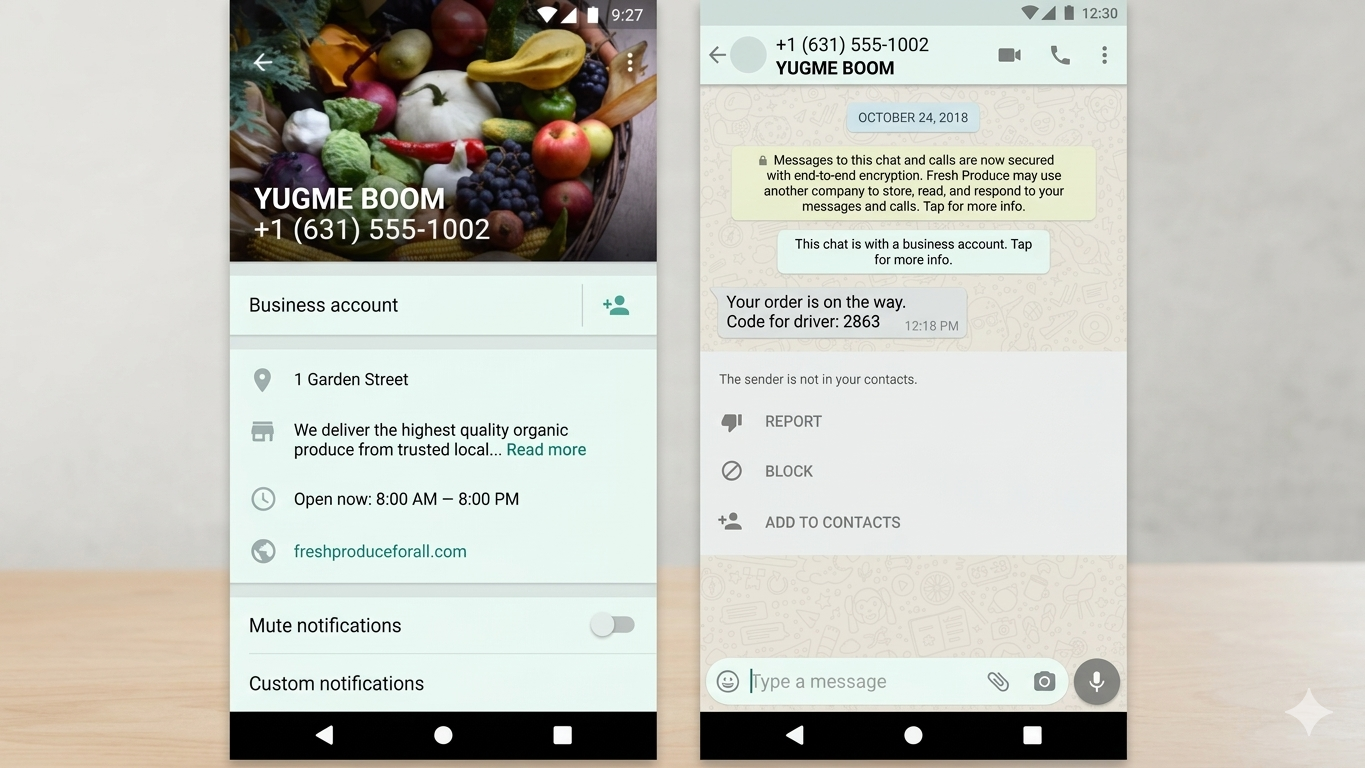
There are two types of WhatsApp Business API accounts. One is a standard WhatsApp Business account, and the other is an official WhatsApp Business account with a blue tick verification.
In a regular WhatsApp Business account, users will see your phone number along with your display name on their screen. The display name usually appears next to your contact number.
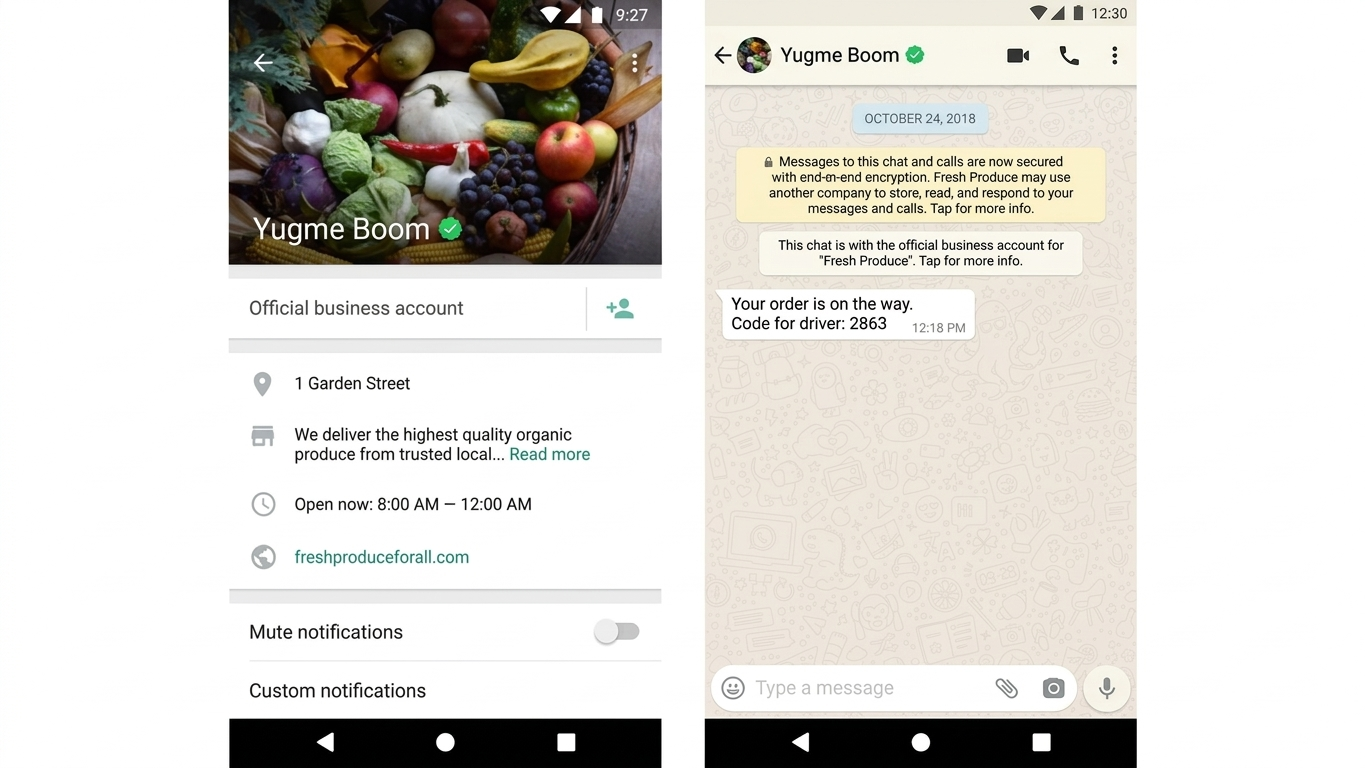
In an official WhatsApp Business account, the display name appears without showing the phone number. It is displayed along with a blue tick badge, which indicates that WhatsApp has verified the business as genuine and trustworthy.
To receive this blue tick verification, your business must be well recognized and have organic media coverage. Paid media coverage does not count toward verification.
You can update your WhatsApp display name up to 10 times within 30 days. If you need to change it again after reaching this limit, you will have to contact Facebook support.
If you have an official WhatsApp Business account with a blue tick, you need to contact Facebook’s direct support and provide the following details to request a display name change:
- Question Topic: Request an Official Business Account
- Request Type: Update OBA Display Name
For a regular WhatsApp Business account, you can change the display name by following these steps:
- Open Business Manager and choose your business account.
- Select WhatsApp Accounts and then open WhatsApp Manager.
- In WhatsApp Manager, click on Account Tools.
- From the menu on the left side, select Phone Numbers.
- In the Name column, move your cursor over the current display name and click the pencil icon.
- In the Edit Display Name section, type the new display name you want to use.
- Click Next to submit the change.
Once your new display name follows WhatsApp’s formatting guidelines, the update is usually completed within 2–3 hours.
Start Communicating Effectively with WhatsApp Business APITo get your WhatsApp Business display name approved, the most important thing is to follow the required guidelines.
By following these rules, many Yugme Boom users have successfully received approval for their WhatsApp Business display names in as little as 10 minutes.
With Yugme Boom, you can send broadcast messages to thousands of users at once through the platform.
You can also provide your customers with 24/7 support using WhatsApp Chatbots and Live Chat.
In addition, you can send automated notifications such as appointment updates, application reminders, payment alerts, and more.
If you would like assistance setting up your WhatsApp Business API account, the Yugme Boom customer success team can help you get started for free. You can apply for the WhatsApp API today at no cost.
WhatsApp Business Display Name: Common Questions Answered
This section answers common questions about WhatsApp Business Display Names, including what they are, how to verify them, why they might be rejected, and how they appear for users